Midjourney
Midjourney Version Parameter Comparison: How to Choose Between V6, V7, and V8.2
Midjourney.ing7 min read
Contents+
If you open Midjourney settings and freeze at the model picker, you are not alone. V6, V7, and V8.2 can all make images—but they do not share the same parameter habits, resolution path, or style-locking workflow. Paste an old prompt into a new model and you may get silence from a flag that no longer exists, or a look that fights what you meant.
This Midjourney version parameter comparison skips benchmark theater. It answers three practical questions: what actually changed across versions, when an older model is still rational, and what most creators should default to in 2026. Already committed to V8.2? Continue with How to Use Midjourney V8.2 and the V8.2 prompt guide. For why the V8 family feels different at all, skim the V8.1 feature guide (V8.2 keeps the same delivery loop).
The short answer: pick by job, not by nostalgia
| Your situation | Better default |
|---|---|
| New account, new project, need ~2K delivery | Midjourney V8.2 (or your account’s current V8-family default) |
Pipeline still hard-wired to --q 2 / --q 4 |
Stay on V7 short-term while you pilot SD→HD on V8.2 |
| You only need to match a very old V6 “look” from a tutorial | Dip back into V6 for a control pass—do not make it your daily driver |
| Brand series / channel consistency | V8.2 + SREF / Moodboards |
| Products, interiors, literal commercial briefs | V8.2 + --raw |
Bottom line: default to V8.2 in 2026. Park on V7 only when an old quality-flag workflow is still paying the bills.
Side-by-side: the switches that bite during migration
This table focuses on migration landmines—not a full reprint of every flag.
| Dimension | Midjourney V6 | Midjourney V7 | Midjourney V8.2 |
|---|---|---|---|
| Role in the lineup | Classic look; densest legacy tutorials | Common “previous default” for older pipelines | Current recommendation: faster, sharper prompt reading, native ~2K |
Quality flag --q |
Widely used (e.g. --q 2) |
Still available (--q 2 / --q 4) |
Not supported—use SD → Run as HD / --hd |
| Clarity path | Upscale / re-roll culture | Quality often tied to --q |
Explore in SD, finish in HD (HD vs SD) |
| Prompt style | Long style stacks were normal | Structure starts to matter more | Fewer, sharper details; structure first |
--raw |
Available; habits vary | Common for realism | Prefer for products / architecture / neutral frames; usually off for illustration |
--stylize / --chaos |
Present | Present | Present—raise chaos to explore, drop it before finals |
| Series lock | Often “paste the same mega-prompt” | SREF exists; habits uneven | SREF / Moodboards / Personalization are the reliable path |
Character Reference --cref |
Era-dependent | Some pipelines still rely on it | Still unavailable in the V8 family—do not force it |
| Seed expectations | Older “reproducibility” folklore | Relatively controllable | Think “highly similar,” not pixel-identical |
Hard truth: dropping
--qfrom a V6/V7 tutorial into V8.2 usually does nothing useful. It is one of the migration traps we call out in beginner mistakes.
How to migrate parameters without breaking delivery
1. Replace --q with a resolution strategy
Old muscle memory:
... your prompt --q 2V8.2 muscle memory:
- Stay in SD while you are still choosing a direction
- Run as HD (or add
--hd) once the crop is right - Do not burn HD on every exploratory grid
The full loop lives in the 2026 AI art workflow.
2. For commercial realism, prefer --raw over adjective piles
V6/V7 prompts often padded 8k, ultra detailed, photorealistic. On Midjourney V8.2, product and architecture briefs usually win with:
- clear subject → camera → light → materials
--rawon- lower stylize (roughly 50–100)
More shop-ready templates: ecommerce prompt cases.
3. For illustration / anime, do not treat Raw as the default
V8.2 already leans “finished.” Illustration and anime usually keep Raw off and a mid-to-high --stylize. See anime prompt cases and the 25-prompt aesthetic review.
4. Move series consistency from prompt recycling to style lock
Instead of pasting the same fifty style tokens every time:
- pin winners with SREF / Moodboards
- change only subject and scene per image
- use image reference when you need character vibe lock (image reference guide)
Overview: SREF & Moodboards.
5. One still-life prompt, three mental models
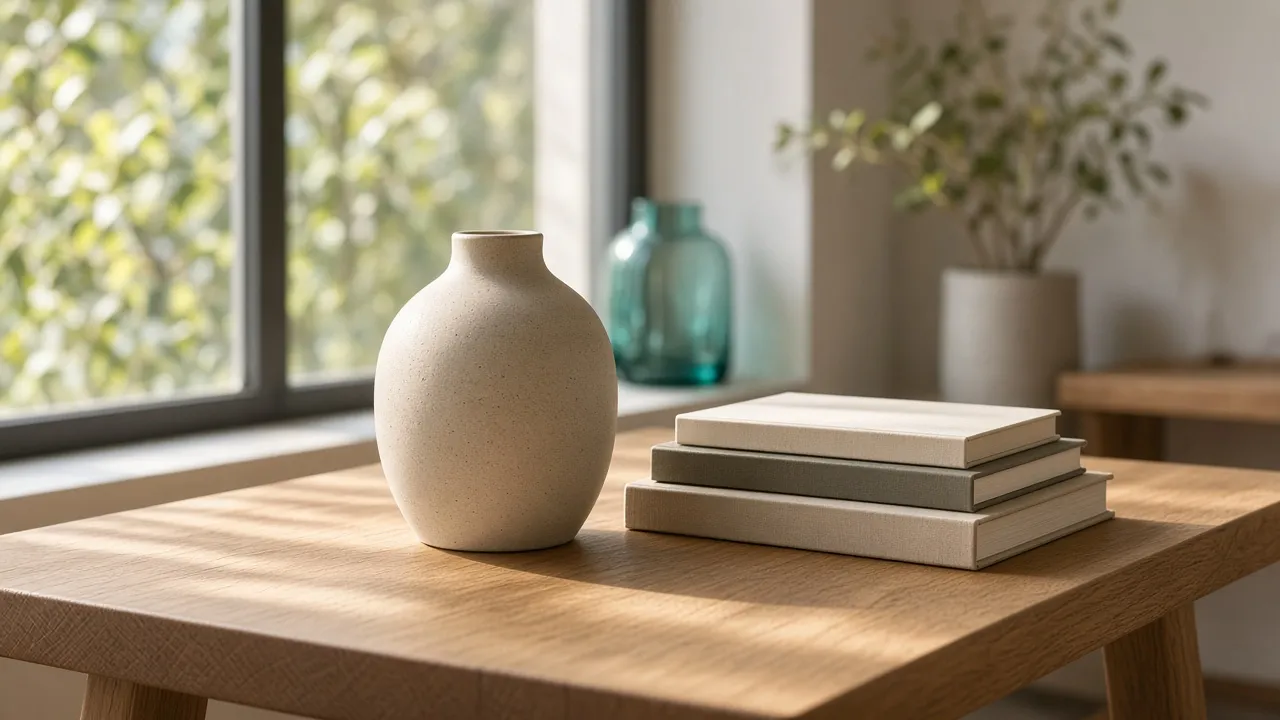
Cover-adjacent still life:
a matte ceramic vase and a small stack of books on a sunlit oak desk by a window, soft morning light from the left, shallow depth of field, natural wood grain, quiet editorial still life --stylize 100- V6: people often lengthened style stacks and leaned on
--qfor “polish” - V7:
--qstill works; clearer structure already helps - V8.2: keep the structure; add
--rawif you need more literal materials; finish with Run as HD
Living cheatsheet: V8.1 parameters (same current parameter set for V8.2).
Scene guide: newer is not automatically “more correct”
| Job | Prefer | Why |
|---|---|---|
| Social covers / concept KV / daily making | V8.2 | Better default aesthetic + iteration speed |
| Ecommerce heroes / product stills | V8.2 + --raw |
Materials and framing follow the brief |
| Architecture / interiors | V8.2 + --raw |
See architecture cases |
Legacy pipelines glued to --q |
V7 (bridge) | Protect delivery while you migrate |
| Matching a very old V6 tutorial look | V6 (control only) | Useful as a reference pass, not a long-term home |
| Character / brand series | V8.2 + SREF | Consistency costs less |
Portrait craft and prompt structure: portrait cases, prompt tips.
Myths worth retiring before you choose
- “V8.2 can’t do realism.” It can—lead with
--rawand concrete light/materials, not empty superlatives. - “V6 is inherently more tasteful.” You can recreate an old filter vibe; you usually pay for it in speed and prompt obedience.
- “I’ll just keep
--crefon V8.2.” Per site guidance, the V8 family still does not support it—switch to image / style reference workflows. - “Upgrade means HD every time.” Explore in SD; spend HD on winners.
- “I can mix versions without rewriting prompts.” When the model changes, the effective parameter set changes. Fix the workflow first, argue aesthetics second.
Closing checklist
When you run a Midjourney parameter comparison for your own team, this is enough:
- New work defaults to V8.2
- Strip
--qbefore moving a prompt to V8.2; use SD→Run as HD - Commercial realism: ready
--raw; illustration: ready higher--stylize - Series work: SREF / Moodboards, not longer adjective lists
- Keep V7 only as a bridge—schedule the migration so old flags do not become permanent culture
Prove it fast: run the window-desk still life above on V8.2 in SD, then Run as HD, and compare against an older archive. Onboarding path: V8.2 beginner’s guide. Style menu: 25-prompt aesthetic review. Then test your real brief on Midjourney.ing—choosing a version beats chasing a mythical “best model forever.”