Midjourney V8.2
Midjourney V8.2 全新美学风格深度测评:25个提示词全面测试
Midjourney.ing11 分钟阅读
目录+
Midjourney V8.2 最常被问到的问题之一是:默认美学到底变强了什么、不同风格写提示词时该怎么压?这篇 Midjourney 测评 用 25 个 Midjourney 提示词 做同条件对照,覆盖电影感、写实产品、插画、二次元、建筑与概念原画等常见交付场景,帮你快速判断 V8.2 的「全新美学风格」适合什么、不适合硬拧什么。
若你需要从零上手,先读《如何使用 Midjourney V8.2:完整新手指南》;提示词骨架与参数搭配见《Midjourney V8.2 提示词指南》。本文侧重 美学风格实测,不是参数百科。
测评方法(可复现)
为保证结论可对照,本次 Midjourney 文生图 统一约定:
| 项目 | 设定 |
|---|---|
| 模型 | Midjourney V8.2 |
| 探索 | SD 出候选,方向锁定后再 Run as HD |
| 变量控制 | 同一组内只改「风格/媒介词」,主体尽量固定 |
| 默认 | 不开 --raw(写实对照组单独开启) |
| stylize | 多数组 --stylize 100–250;发散时短时提高 --chaos |
评判维度:
- 风格纯度:目标美学是否干净,有没有滑向别的滤镜
- 提示词服从:材质、小物件、光色是否跟得上文字
- 可交付性:能否直接进社媒 / 概念稿 / 产品主图流程
完整工作流也可对照《2026 AI 绘画工作流》与《HD 与 SD》。
测评结论速览
先说结论,方便 SEO 读者与创作者快速决策:
- V8.2 默认美学更「成片感」:电影光、皮肤与材质过渡更稳,少堆空形容词也能好看。
- 写实商业仍建议
--raw:产品、建筑、中性参考帧开 Raw 更听话。 - 插画 / 二次元请保留 stylize、慎开 Raw:否则容易变写真。
- 系列项目优先 SREF / Moodboards:比每张重写风格词更稳——见《风格参考全指南》。
- 探索留 SD,成片 Run as HD:这是控制成本与质量的最优路径。
下面 25 组 Midjourney prompt 按美学分区给出,可直接改用。
A. 电影感与人像美学(1–5)
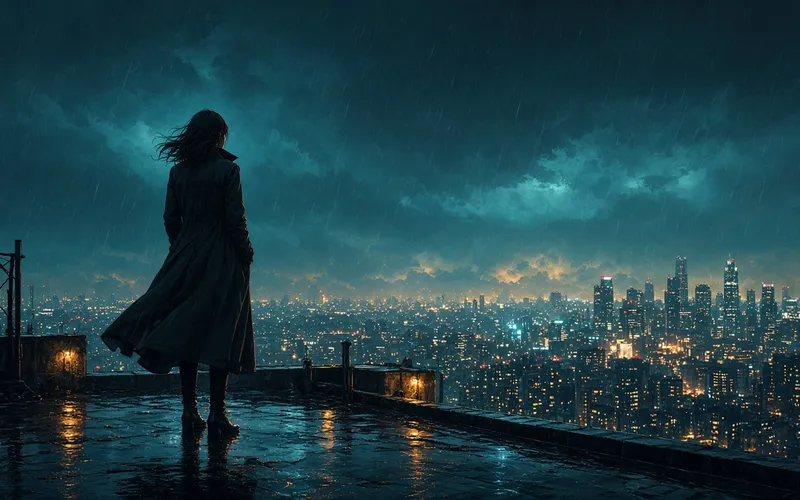
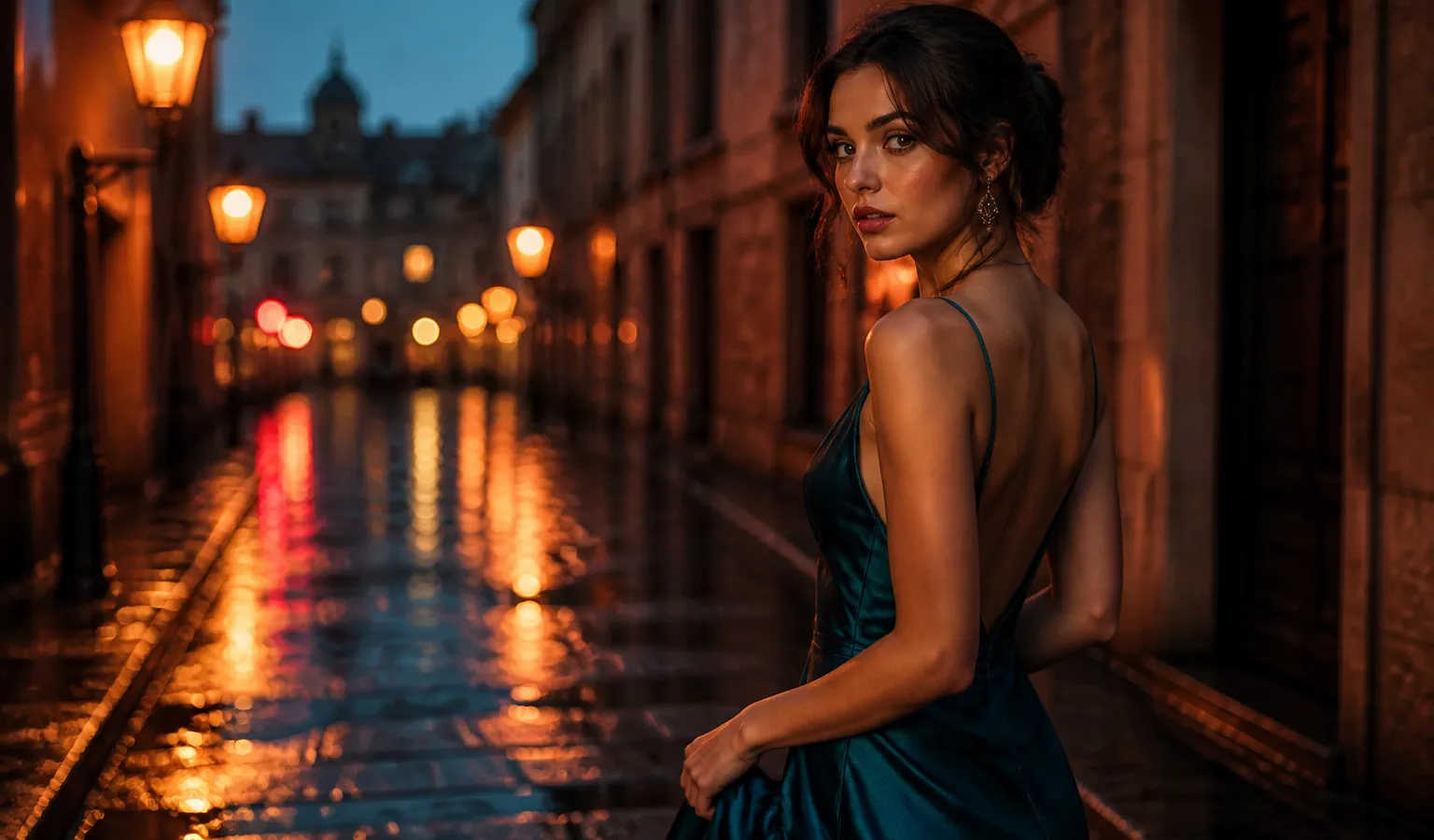
1. 雨夜霓虹电影人像(封面同源气质)
适合: 社媒封面、角色 KV、氛围片静帧
建议: --stylize 180–220;不开 Raw
cinematic portrait of a young woman in a teal silk dress on a rain-wet cobblestone street at dusk, neon reflections in puddles, soft rim light, shallow depth of field, teal and amber color grade --stylize 200测评印象: V8.2 对湿地面反射与丝绸材质更稳,电影感不必堆 cinematic, 8k, masterpiece。
2. 自然光纪实人像
documentary portrait of a ceramicist at a sunlit studio workbench, medium shot, soft window light from the left, natural skin texture, quiet observational photography --stylize 80测评印象: stylize 偏低时更「纪实」;需要商业光泽可略升 stylize 或开 Personalization。
3. 硬光时尚大片
high-fashion editorial portrait, hard side light, crisp shadows, sculpted cheekbones, matte studio backdrop, magazine cover composition --stylize 1504. 黄金时段环境人像
environmental portrait of a traveler on a coastal cliff at golden hour, wind in hair, warm backlight, dusty atmosphere, cinematic still --stylize 1805. 低调室内情绪人像
low-key indoor portrait by a single practical lamp, deep shadows, warm practical light, intimate framing, film still aesthetic --stylize 160人像模板库还可对照《人像提示词案例集》。
B. 写实产品与静物(6–10)
本组建议开启
--raw,让 Midjourney 少加默认电影滤镜。
6. 陶瓷马克杯(新手友好对照)
a ceramic mug on a sunlit wooden table, medium shot, soft morning window light from the left, shallow depth of field, natural wood grain, quiet product photography --raw --stylize 1007. 护肤品白底主图
matte white skincare bottle on seamless white background, soft top light, subtle reflection, clean ecommerce hero shot --raw --stylize 508. 咖啡拉花微距
macro shot of latte art heart pattern, creamy foam texture, warm cafe light, shallow depth of field, food photography --raw --stylize 1009. 珠宝静物
gold ring with small diamond on dark velvet, specular highlights, softbox lighting, luxury product still life --raw --stylize 8010. 科技产品桌面场景
wireless earbuds case on brushed aluminum desk, cool daylight, soft shadows, minimal tech product photography --raw --stylize 70电商向更多案例见《电商提示词案例》;美食见《美食提示词案例》。
C. 插画、概念与二次元(11–15)
本组通常 不要 开
--raw;--stylize 200–280。
11. 赛璐璐角色半身
anime-style character bust portrait, clean linework, soft cel shading, expressive eyes, detailed outfit collar, soft pastel background, key visual illustration --stylize 25012. 厚涂奇幻插画
thick paint fantasy illustration of a mage with glowing staff, rich brush texture, dramatic rim light, book cover composition --stylize 24013. 水彩旅行插画
soft watercolor illustration of a coastal town on a hillside, loose washes, paper texture, travel sketchbook aesthetic --stylize 22014. 二次元雨夜街景角色
anime-style character standing on a rainy neon street, full body, cel shading, vivid cyan and magenta lights, clean linework, key visual --stylize 25015. 游戏概念原画场景
concept art of an ancient cliffside temple above clouds at dusk, painterly CG, dramatic sky, wide establishing shot --stylize 200动漫专项见《动漫与插画提示词案例》;模型选型见《2026 年最适合动漫角色的 AI 图像模型》。
D. 建筑、室内与景观(16–20)
16. 现代住宅外立面
modern concrete house exterior at dusk, warm interior lights, reflective pool, architectural photography, clean lines --raw --stylize 10017. 日式室内自然光
japanese interior with tatami and shoji screens, soft morning light, minimal furniture, calm architectural photograph --raw --stylize 9018. 未来城市鸟瞰
aerial view of a futuristic coastal city at blue hour, glowing towers, layered haze, cinematic cityscape concept --stylize 18019. 森林木屋氛围
cabin in misty pine forest at dawn, soft fog, warm window glow, atmospheric landscape photography --stylize 15020. 博物馆展厅空间
spacious museum gallery with soft overhead light, polished concrete floor, large abstract sculpture, architectural interior photo --raw --stylize 80建筑向扩展:《建筑提示词案例》。
E. 风格混合与控制实验(21–25)
这组专门测 Midjourney V8.2 对「冲突风格词」与参考锁定的容忍度。
21. 极简 + 强材质(少而准)
single ceramic vase on empty linen tablecloth, soft daylight, extreme minimalism, visible clay texture --stylize 120结论: 少词反而更稳——符合 V8.2「少而准」收益更大的趋势。
22. 故意打架的风格词(反例)
ultra realistic photo of an anime girl, cel shading, oil painting, cinematic, 8k, masterpiece --stylize 250结论: 容易糊成「都像又都不像」。美学测评里这是最常见翻车——一次只保留一个主媒介。
23. 同主体 + 高 chaos 发散
portrait of a red-haired violinist in a rehearsal room --chaos 40 --stylize 150结论: 适合找方向;定稿前务必降 chaos。新手错误对照见《Midjourney 新手易犯错误》。
24. 风格参考锁定思路(文字占位)
实操时把优胜图挂上 SREF,再只改服装/场景:
same character as style reference, winter coat, snowy street, night, soft streetlights --stylize 200图生图细节见《图生图指南》。
25. SD 探索 → Run as HD 成片口令
cinematic portrait of a young woman in a teal silk dress on a rain-wet cobblestone street at dusk, neon reflections, soft rim light --stylize 200先在 SD 选出构图,再 Run as HD。这就是本次封面同源的完整 AI 图片生成 闭环。
风格选用速查表
| 目标美学 | 是否开 --raw |
stylize 建议 | 备注 |
|---|---|---|---|
| 电影人像 / KV | 通常否 | 150–220 | 少堆空词 |
| 产品 / 电商 | 是 | 50–100 | 材质写具体 |
| 建筑 / 室内 | 多为是 | 70–120 | 光写清楚 |
| 插画 / 二次元 | 否 | 200–280 | 主媒介只选一个 |
| 概念原画 | 否或弱 Raw | 180–240 | 构图优先 |
参数总表:《V8.1 参数速查》(V8.2 沿用现行参数逻辑)。更多场景模板:《提示词案例库》。
写在最后
这次 Midjourney V8.2 美学风格深度测评 的核心发现很务实:全新美学并不是要你换一套玄学形容词,而是让结构清晰的 Midjourney 提示词 更能直接出成片——电影感更稳、材质更听话,但风格词打架时仍会糊。把 25 组测试当作可改用的风格菜单:先定媒介,再写主体与光,SD 探索后 Run as HD,系列项目挂上 SREF。
下一步建议:挑与你业务最接近的 3 组跑通,再到 Midjourney.ing 用真实 brief 复测一轮。写法深挖继续读《V8.2 提示词指南》,上手流程见《V8.2 新手指南》。